Best Free Background Remover Tools in 2025 — Full Comparison
Posted in :
Removing backgrounds from images has become easier than ever thanks to AI technology. Whether you’re a designer, content creator, online seller, or just someone who needs clean images for social media, having a reliable background remover tool can save you hours of editing.
In 2025, dozens of tools exist — but not all are fast, accurate, or truly free. That’s why we created a complete comparison of the best free background remover tools available today. This guide helps you choose the perfect tool for your needs.
⭐ Top Free Background Remover Tools in 2025 (Quick List)
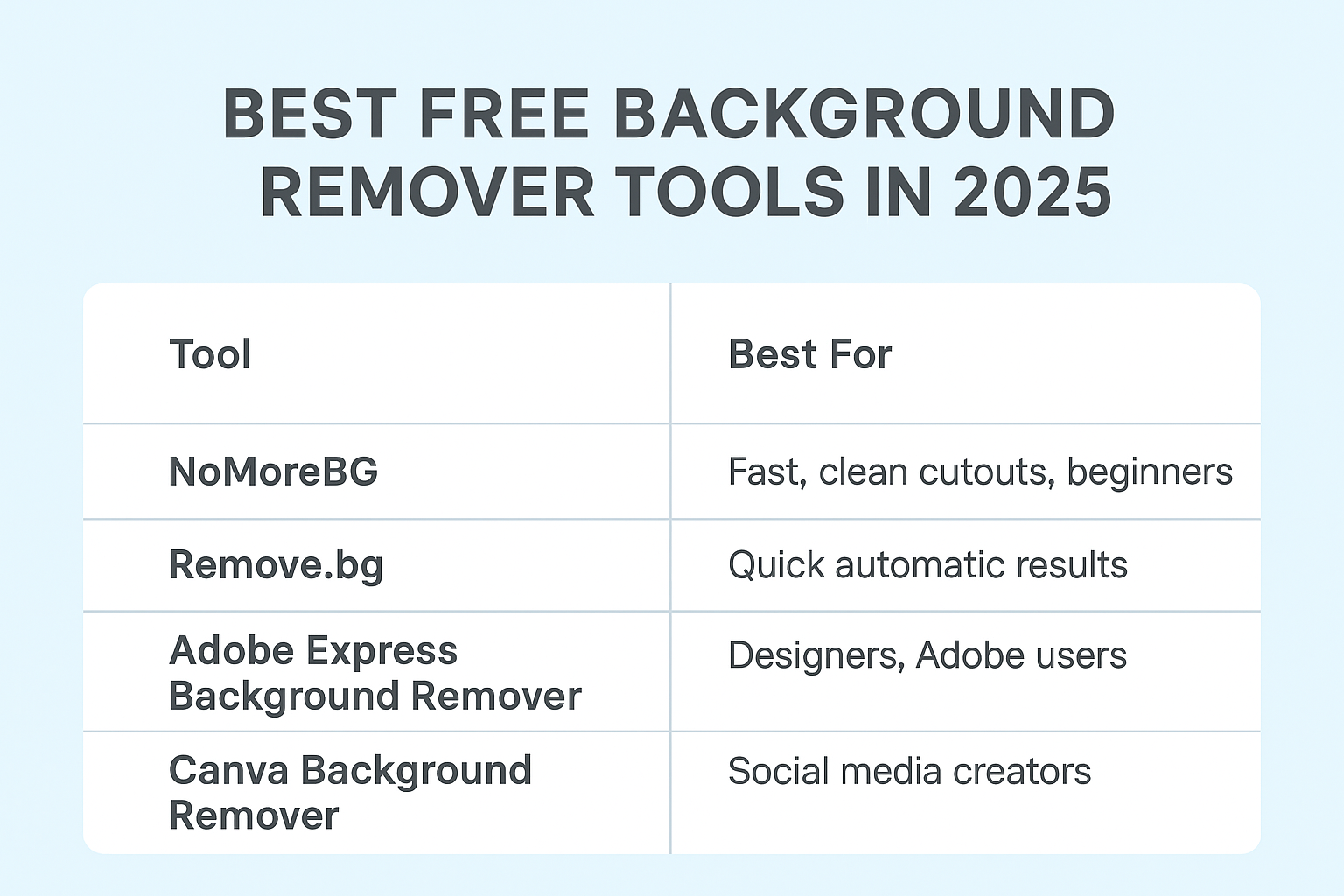
| Rank | Tool | Best For | Price | Accuracy |
|---|---|---|---|---|
| 1 | NoMoreBG | Fast, clean cutouts, beginners | Free | ⭐⭐⭐⭐⭐ |
| 2 | Remove.bg | Quick automatic results | Free + Paid HD | ⭐⭐⭐⭐ |
| 3 | Adobe Express Background Remover | Designers, Adobe users | Free | ⭐⭐⭐⭐ |
| 4 | Canva Background Remover | Social media creators | Paid Pro feature | ⭐⭐⭐⭐⭐ |
| 5 | PicsArt Remove Background | Mobile users | Free + Paid | ⭐⭐⭐ |
1. NoMoreBG — Best for Instant AI Background Removal (Free)
NoMoreBG stands out as one of the most powerful free background remover tools in 2025.
Why It’s the Best
- ⚡ Extremely fast and lightweight
- 🎯 High-precision AI cutouts
- 🖼️ Works for people, products, animals, and logos
- 💻 No signup required
- 📥 Free transparent PNG download
Perfect For
- Shopify, Etsy, and Amazon sellers
- Graphic designers
- Photographers
- Social media creators
- Students & businesses
If you need a reliable, free, and easy-to-use background removal tool, NoMoreBG is the top choice.
2. Remove.bg — The Most Popular Tool
Remove.bg is one of the most well-known background remover tools, used by millions.
Pros
- Very fast AI detection
- Clean results for people and objects
- Supports API integration
Cons
- HD downloads require credits
- Free version has lower resolution
- Limited editing features
Best For
Businesses that need bulk background removal and API automation.
3. Adobe Express Background Remover — Great for Designers
Adobe’s online suite includes a powerful background remover for free.
Pros
- High-quality AI
- No Adobe subscription required
- Integrated design tools (text, filters, shapes)
Cons
- Requires login for saving
- Not ideal for bulk removals
Best For
Designers familiar with Adobe products.
4. Canva Background Remover — Best for Social Media Creators
Canva’s background remover is extremely clean — but available only in Canva Pro.
Pros
- Very accurate results
- Built into the Canva editor
- Perfect for thumbnails, Instagram posts, posters
Cons
- Requires paid subscription
- Slow for large images
Best For
Influencers, marketers, and content creators.
5. PicsArt Background Remover — Best for Mobile Editing
PicsArt offers a mobile-first background remover that works inside the app.
Pros
- Easy mobile interface
- Good for selfies and portraits
- Built-in filters and stickers
Cons
- Ads in free version
- Not very accurate for product images
Best For
Casual mobile users and quick edits.
🏆 Which Background Remover Is Best in 2025? (Final Verdict)
After testing all popular tools, here’s the final summary:
Best Overall (Free):
✅ NoMoreBG — Fast, accurate, simple, and 100% free.
Best for Businesses:
⭐ Remove.bg — API automation & reliability.
Best for Designers & Brands:
⭐ Adobe Express — Professional tools included.
Best for Content Creators:
⭐ Canva Pro — Integrated editor + clean cutouts.
Best for Mobile Users:
⭐ PicsArt — Quick and easy smartphone editing.
How to Choose the Right Background Remover
Consider these factors before choosing a tool:
✔ Accuracy of AI cutout
Look for tools that handle hair, edges, and complex backgrounds.
✔ Download quality
PNG with transparency is essential for design and e-commerce.
✔ Price
Free tools are great, but paid tools offer better HD output.
✔ Speed
Your workflow matters — choose tools that process images instantly.
✔ Extra editing tools
Some platforms include filters, resizing, or color adjustments.
Frequently Asked Questions (FAQ)
1. Are these background remover tools completely free?
Most offer free versions, but some limit HD downloads or require subscriptions.
2. Which tool gives the cleanest background removal?
NoMoreBG and Canva Pro provide the most accurate results.
3. Can I remove backgrounds from product photos?
Yes — these tools work perfectly for Amazon, Etsy, eBay, and Shopify.
4. Do I need editing skills?
No — all tools listed use AI and are beginner-friendly.
5. Is NoMoreBG safe to use?
Yes. Uploaded images are automatically deleted to protect your privacy.
Ready to Try the Best Background Remover?
Get clean, professional images in seconds — completely free.
👉 Try NoMoreBG now and remove backgrounds instantly.